Edit Subtitles
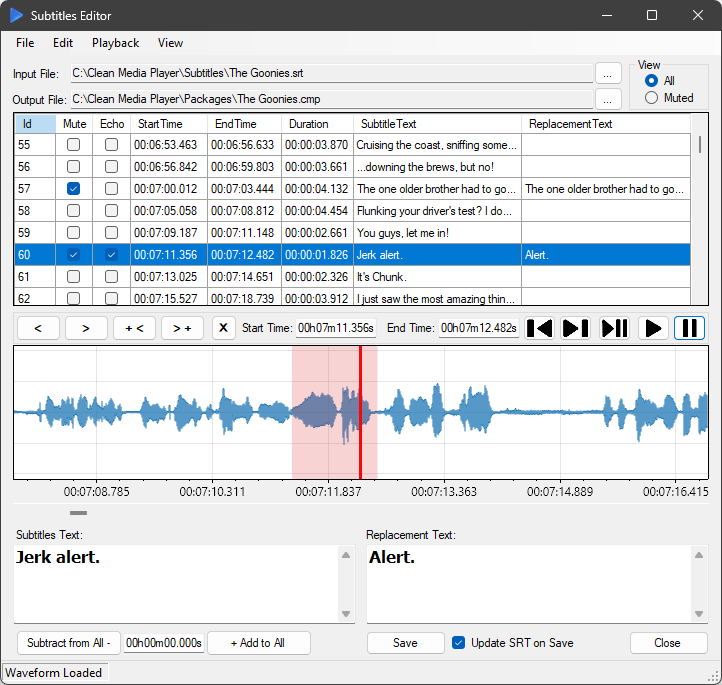
The Subtitles Editor lets you create, edit, synchronize, and preview subtitle text.
You can easily filter subtitles to show only those associated with muted audio and input your preferred replacement text to be displayed on the screen.
The waveform control lets you precisely adjust the timing of the selected subtitle by dragging the selection box or modifying its width.
After making your adjustments, you can preview the results by playing the selected subtitle video.
If all subtitles are offset, you can quickly adjust their timing by adding or subtracting a specific amount of time for all subtitles at once.
Additionally, you can choose which audio sections you prefer to mute by checking the "Mute" checkbox.
Checking the "Echo" checkbox silences all audio channels for the selected subtitles duration when using the File Generator.