 Clean Media Player
Windows profanity filter for local movies and shows
Movie night. Made family-friendly.
Mute offensive words and display clean subtitles. Skip or blur unwanted scenes on your movies and shows.
Download Free Trial
Clean Media Player runs on Windows. Send the 7-day trial link to your PC.
Email the link to myselfWindows · 128 MB · v2026.11.28.1
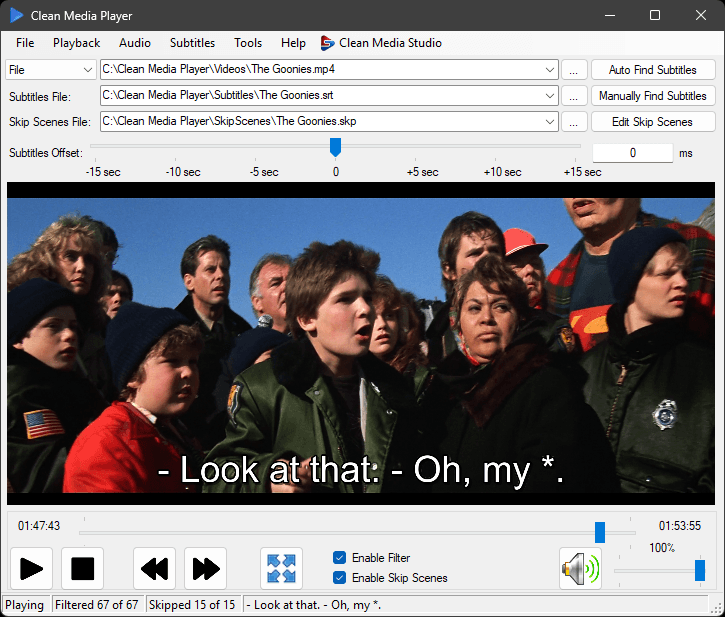
Everything you need for a more enjoyable movie night
Built around your word list, subtitle timing, and the scenes you choose to skip.
Mute words & phrases
Silence matched profanity in the audio using your custom word list.
Clean subtitles
Show clean subtitles while the audio is muted.
Skip or blur scenes
Jump or blur unwanted scenes by timestamp. Download and use skip scenes shared by others.
Save Clean Copies to Watch Anywhere
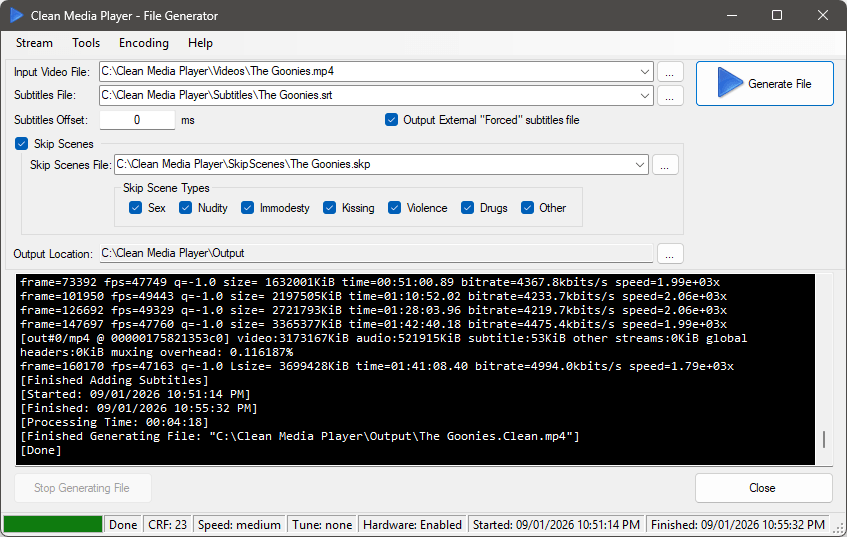
Export a standalone, family-friendly copy of your movie with profanity already muted and unwanted scenes removed — ready to play on any TV, tablet, or travel device.
- Keep the soundtrack intact: Mute only the center voice channel so background music and sound effects keep playing naturally.
- Two clean subtitle tracks included: Switch between captions that appear only during muted moments or full-movie clean subtitles.
- No setup needed during playback: Once generated, your cleaned video file plays like any normal movie.
-
 Send to batch processing queue: Queue your video to be cleaned by Clean Media Studio so you don't have to wait for it to finish before working on the next one.
Watch the Generate Clean Video File Tutorial
For personal use and private viewing only.
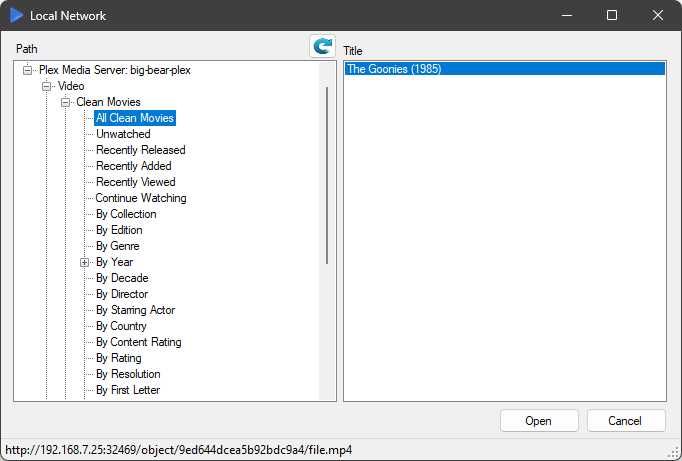
Watch Your Home Media Library Instantly
Stream your movies straight from your personal media server — or play local files, DVDs, and Blu-rays — with real-time profanity muting and scene skipping applied as you watch.
- No copying huge files: Browse your network library and hit play immediately.
- Works with Plex, Jellyfin & more: Connects to any DLNA-enabled media server on your network.
- Full physical & local support: Plays popular video formats alongside DVDs and Blu-rays.
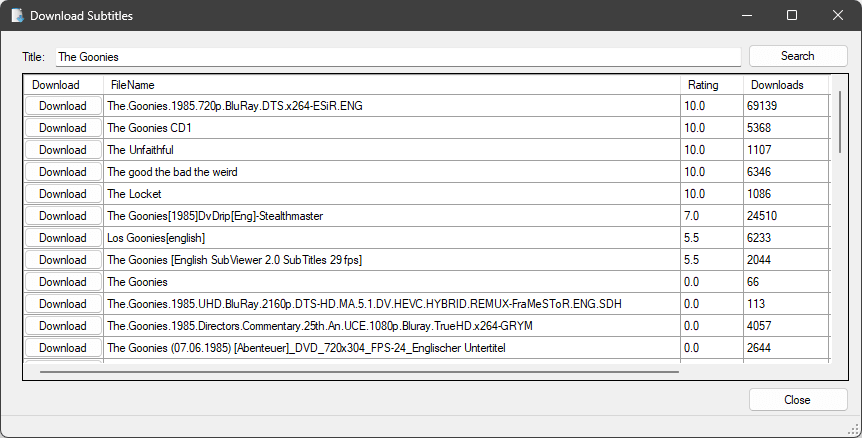
Subtitles Search & Download
Find and load matching subtitles right inside the player so profanity is muted on cue — powered by built-in search from opensubtitles.com.
- Built-in search: Look up and download matching movie subtitles without leaving the app.
- Timed to your subtitles: Mutes filtered words based on your loaded subtitle cues and timing adjustments.
-
Generate subtitles: Automatically transcribe movie audio to create subtitles when none are available.
Profanity Filter
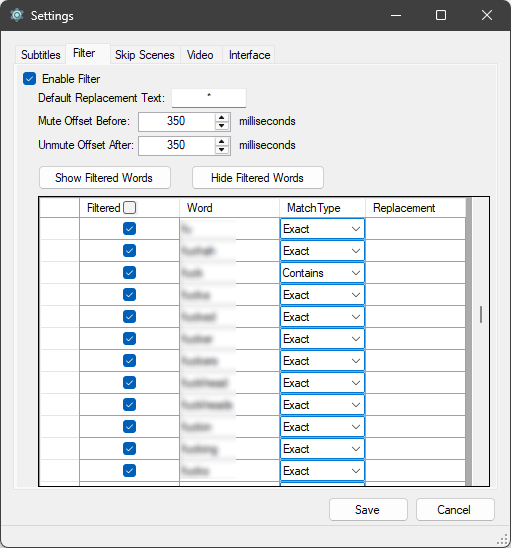
Decide which words and phrases get muted and what clean text appears instead, so movie dialogue stays comfortable for everyone.
- Custom word list & replacements: Filter the exact words or phrases you choose, with optional replacement text to display on screen instead.
- Adjustable mute buffers: Fine-tune Mute Offset Before and Unmute Offset After so audio drops early enough and stays muted cleanly past the end of a word.
Edit Subtitles
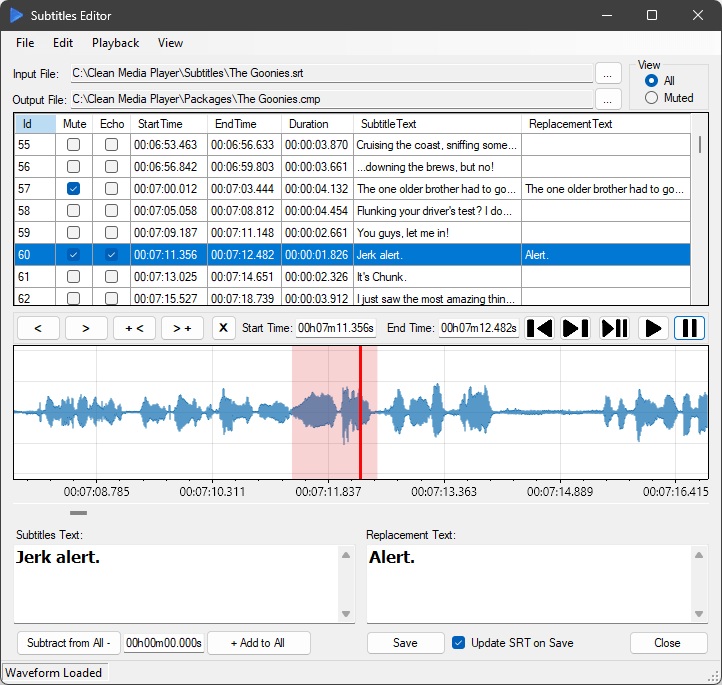
Fine-tune subtitle lines, timing, and audio mute behavior so every filtered line lands cleanly and plays back the way you prefer.
- Custom text & replacements: Filter down to muted lines, edit subtitle text, and enter clean replacement wording to show on screen.
- Precision timing & bulk shifts: Adjust individual cues with the waveform selector, shift all subtitles at once when timing drifts, and preview changes immediately.
- Flexible audio control: Check Mute for standard muting, and add Echo on top when you want to silence all audio channels across selected spans in generated files.
Subtitles Display Options
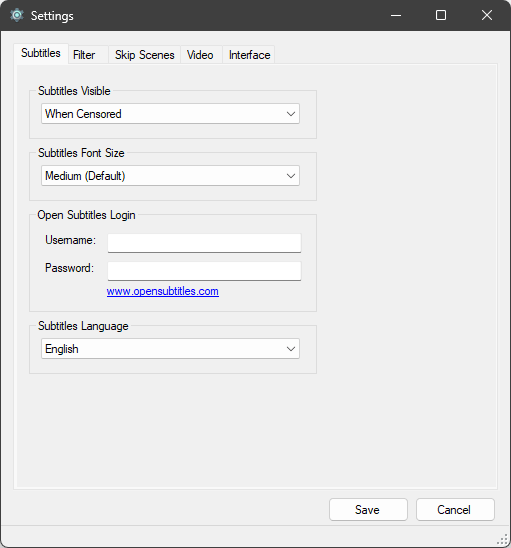
Customize when subtitles appear, how large the font looks, and which language you prefer to download.
- Subtitles visibility & font size: Choose if you want to show subtitles When Censored, When Muted, or Always, and pick a font size that suits your display.
- Language preference: Set your preferred subtitle language to download.
Skip Scenes
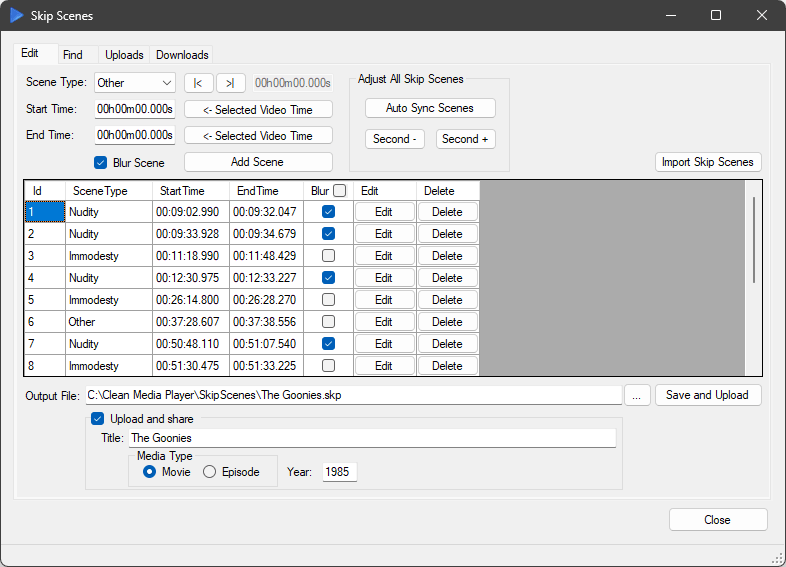
Jump past or blur unwanted scenes using your own timestamps or community-shared skip scenes.
- Skip or blur by timestamp: Set start and end times for scenes you want skipped or blurred, and save them locally.
- Share & download skip scenes: Browse and download skip scenes shared by the community, or upload your own to help others.
- Auto Sync Scenes: Align downloaded skip scenes with your video so timing stays accurate.
Watch the Create Skip Scenes Tutorial · Watch the Share Skip Scenes Tutorial
Try it free. Buy when ready.
Try the full-featured app before you buy. No credit card required. When you're ready to keep it, a one-time activation key is emailed after purchase.
7-day trial
Free
- Full profanity filter & skip scenes
- File generator included
- No credit card required
US activation key
$14.99 once
- Lifetime access, no subscription
- Purchased on Spot It
- Key sent by email
- Keys listed in Spot It Purchases
Non-US activation key
$17.99 once
- Lifetime access, no subscription
- Checkout with Stripe
- Key sent by email
Cleaning a whole library? Clean Media Studio is now available for batch processing on Windows, Mac, and Linux. A Player activation key unlocks 14 days of watermark-free Studio access.
Output Sample
Getting Started Tutorial
Frequently Asked Questions
Is there a watermark on the trial?
No. You get full access to all features for 7 days without watermarks, so you can see how it works before purchasing the activation key.
Is this a subscription?
No. The trial is free for 7 days. After that, an activation key is a one-time purchase: $14.99 in the US or $17.99 outside the US.
Does it work with Netflix or other streaming apps?
No. Clean Media Player plays local files, DVDs, Blu-rays, and video from your personal media server. It does not filter Netflix or other streaming services.
Can I make a cleaned copy of a file and play it on another device?
Yes. File Generator can output a standalone video file with muted spans, skipped scenes, and clean subtitle tracks that you can play on other devices. Need to clean many files? Use Clean Media Studio to process your entire library.
Is Clean Media Player secure?
Yes. No ads or user tracking, and playback stays private on your PC.
Which formats are supported?
Supports all the popular video formats, including physical DVDs and Blu-rays.
MPEG-1/2, DivX® (1/2/3/4/5/6), MPEG-4 ASP, MKV, XviD, 3ivX D4, H.261, H.263 / H.263i, H.264, H.265 / MPEG-4 AVC, Cinepak, Theora, Dirac / VC-2, MJPEG (A/B), WMV 1/2, WMV 3 / WMV-9 / VC-1, Sorenson 1/3, DV, On2 VP3/VP5/VP6, Indeo Video v3 (IV32), Real Video (1/2/3/4).
Make your movie nights family friendly.
Try it for free, activate when you're ready.